Articles in this section
Virtual Reality (VR)
Virtual Reality (VR) places the user inside a 3D experience. Instead of viewing the tour on the screen, users are immersed in and interact with the tour "inside" it. VR is available for Business and Enterprise plan users.
VR mode does not support 2D content added over the tour. It means, you can't see add-ons from the Virtualz overlay such as Intro Screen, Map, Interface video etc.
However, you can see everything that is 3D, since it is implemented as part of the 3D model. Below you can find the list of solutions that work / don't work with VR technology:
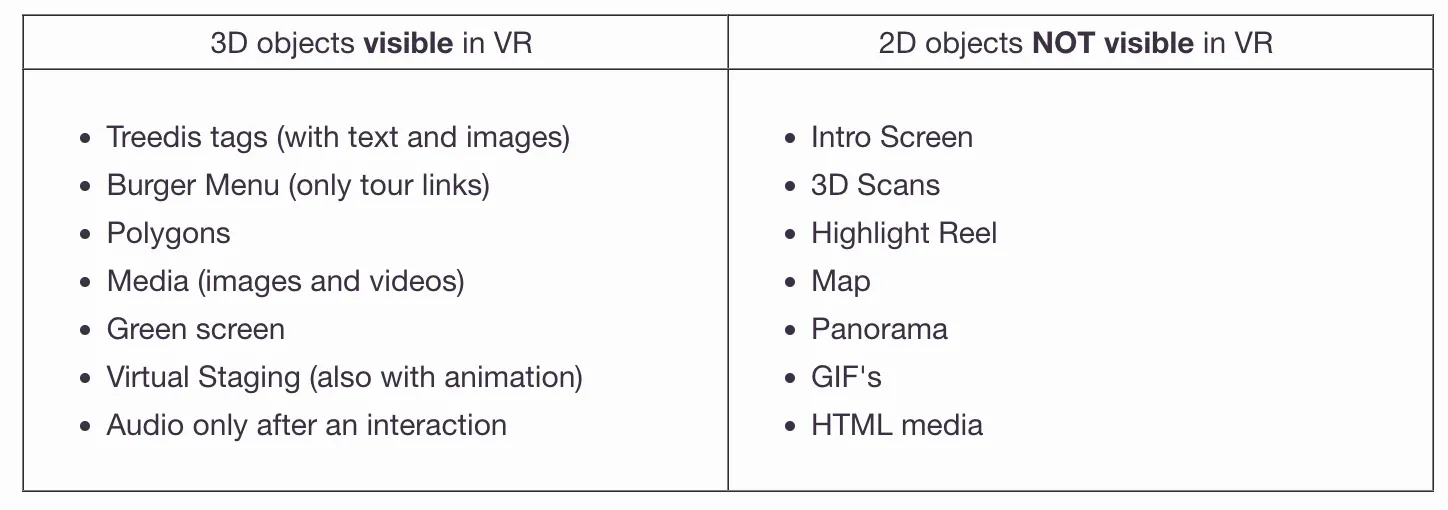
- Matterport tags are not visible in VR. Tag actions won't be visible as well.
- Polygons work in VR without pop-up actions attached. Basically, any pop-up element (images, videos, iframe) that can be opened in full screen mode will not be visible in VR.
- V-commerce UI will not be visible in VR mode (since products can be added to polygons, then products are considered the pop-up elements that can't be visible in VR).
- All experience conditions work in VR. You can manage to work with the Experience Creator as long as you don't use any pop-up/interface elements.
Glasses / Headset:
- All Oculus headsets work with VR technology and Experience tours.
- Pico 4 supports VR and work with Experience tours.
- Cardboard glasses does NOT work.
To see your tour in VR mode, just put the headset on to start your immersive journey:)
________________________________________________________________________________________
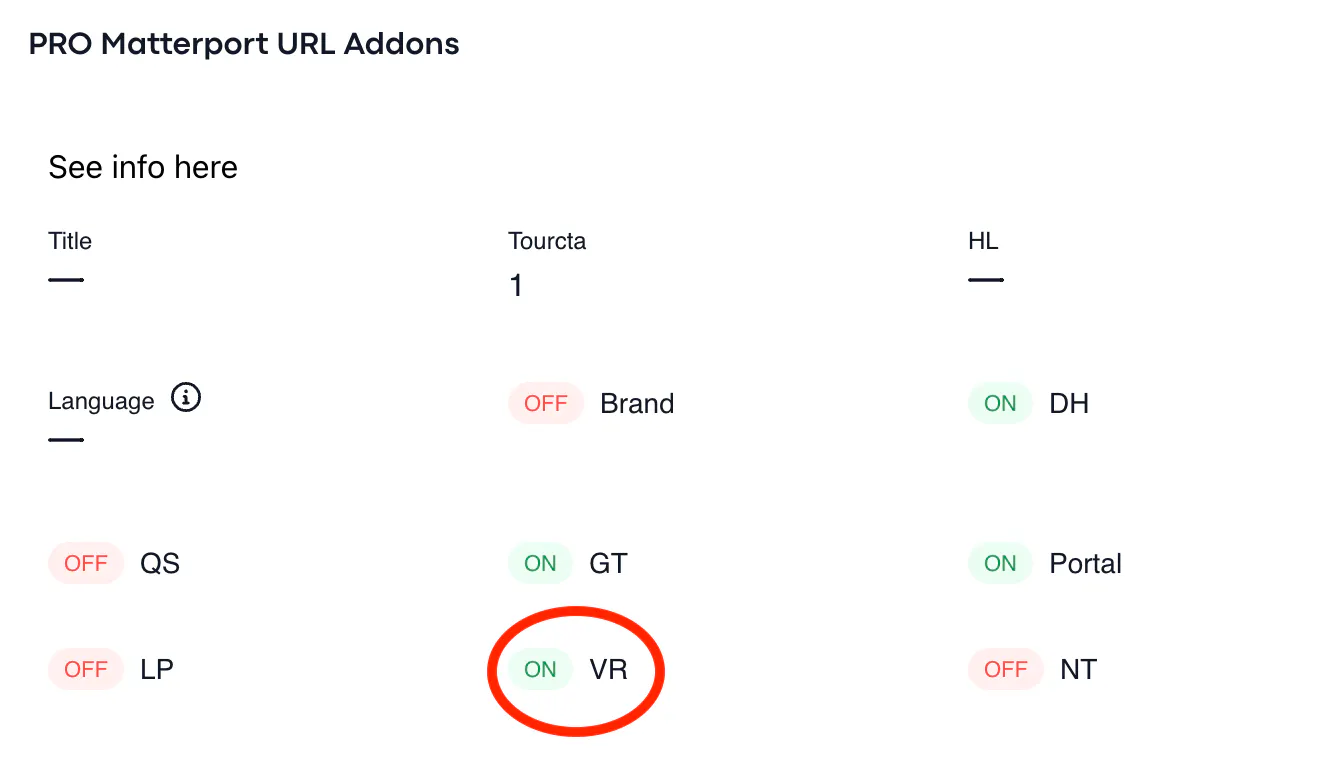
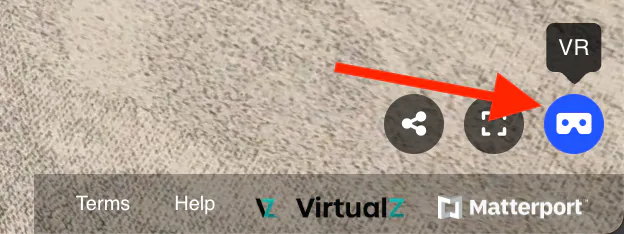
To activate VR mode in your tour, need to enable the relevant toggle: Manage -> PRO Matterport URL Addons -> turn VR toggle ON. It will show the VR button at the right corner of the tour (see on screenshots):
Enjoy!