Articles in this section
- How to add a tour to the system using the Matterport link?
- How to add a tour to the system if I don't have Matterport tour link?
- CGI: General overview
- Private Model Embed (PME)
- Who is User, Client, Agent and Collaborator
- Can I merge several spaces / tours into 1?
- How to get a deep link for location in the tour?
- How to Zoom in/out on the tour?
- Can I translate my tour into different languages?
- How to add music to the tour?
- Can I add the image / pdf file to the Burger Menu?
- Floor Plan: How to order?
- How to change the password?
- How to collect Leads from the tour?
- How to activate the Registration form for Experience tour?
- Types of Tour Error: Troubleshooting Steps
Can I merge several spaces / tours into 1?
Yes, if you have a really huge location/space, and you do not want to overload this single tour, you can combine several spaces into one with the help of deep link or tour link. Or you just want to connect numerous floors of the giant hotel or shopping mall, so the viewers could "travel" around different spaces/floors. You can merge both, Virtualz and Matterport tours.
________________________________________________________________________________
What is a difference between a tour link and a deep link?
Tour link - a regular link for the public tour, which can be found on the admin panel or copied from the browser address bar.


Deep link - a link for specific location in the tour. To retrieve a deep link, you need to get inside the space to find the needed location and click the keyboard combination Ctrl+Y to copy the current position. The deep link for location will look this way:

How to get the deep link for the space?
Matterport space > open the tour and click U
Virtualz tour > open the tour and click Ctrl + Y
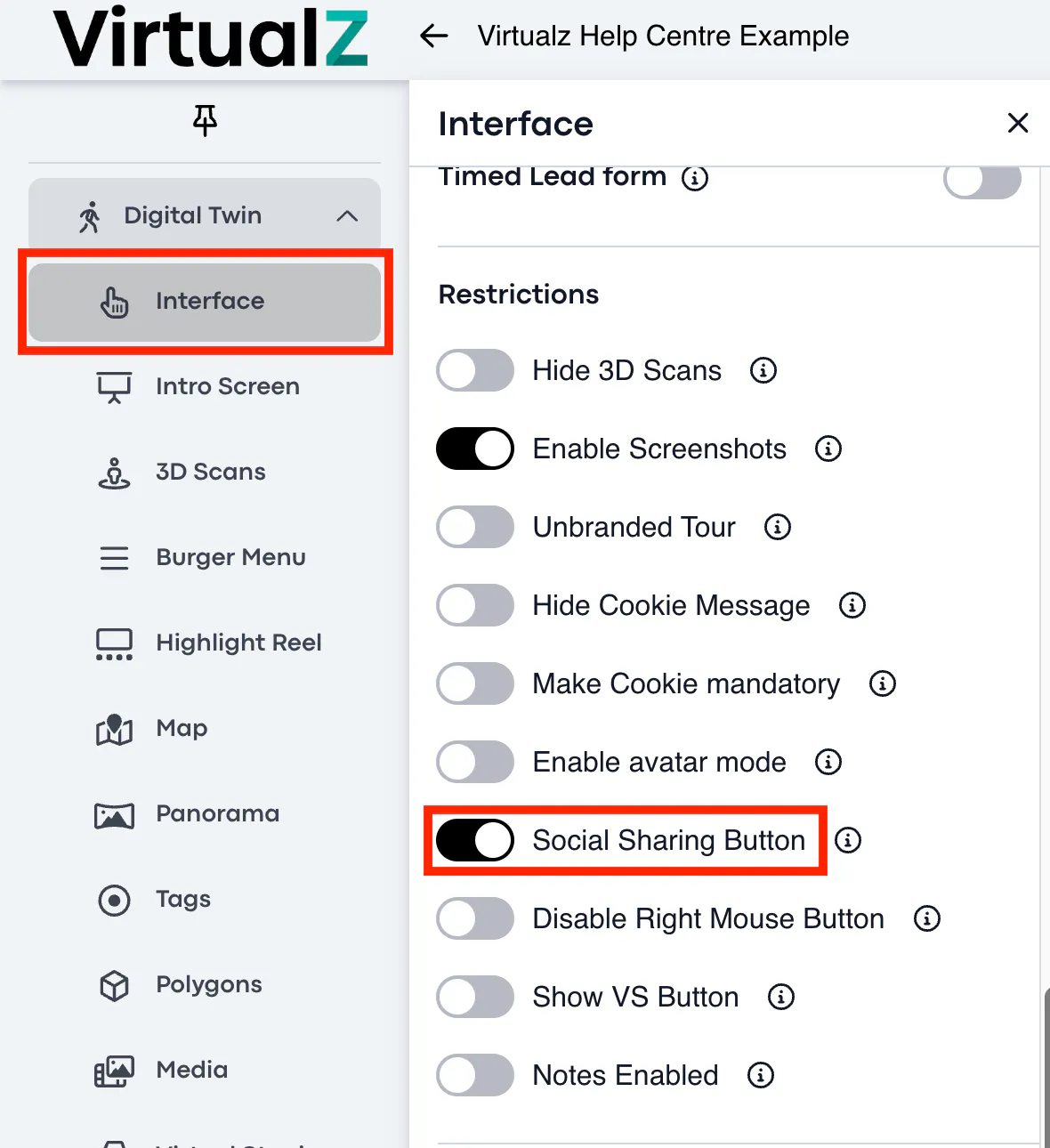
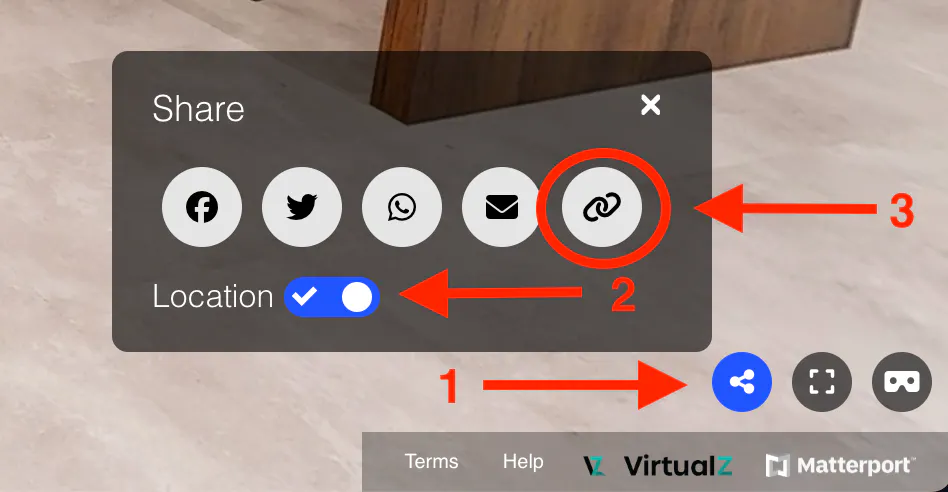
Another way to retrieve a deep link on Virtualz tour is via Social Share button enabled for the tour in the Interface > Restrictions section:
1. Click on the Share (1) icon.
2. Pull the Location (2) toggle to the right.
3. Click on the Link (3) icon to copy the deep link:
What Virtualz features allow to combine the tours?
Burger Menu and Highlight Reel are the mostly used options that allow an easy navigation. Also, deep links / tour links can be added to Map, Panorama, Tag, Polygon, Media object.
- If you combine Virtualz tour > select Tour Link action type.
- If you combine Matterport tour > select Matterport (Instant) or Matterport (Fly-over) action type.
How does it work?
When you combine/merge several tours using the deep links for specific locations in the tours and add them as Burger Menu item, or as new thumbnail in Highlight Reel, or as a hotspot on the Map etc, so when a visitor clicks on this specific item/thumbnail/hotspot, it will redirect him/her to another tour.
Note: We recommend merging no more than 3 tours into 1 to avoid issues with the loading speed and system problems.