Articles in this section
- How to add a tour to the system using the Matterport link?
- How to add a tour to the system if I don't have Matterport tour link?
- CGI: General overview
- Private Model Embed (PME)
- Who is User, Client, Agent and Collaborator
- Can I merge several spaces / tours into 1?
- How to get a deep link for location in the tour?
- How to Zoom in/out on the tour?
- Can I translate my tour into different languages?
- How to add music to the tour?
- Can I add the image / pdf file to the Burger Menu?
- Floor Plan: How to order?
- How to change the password?
- How to collect Leads from the tour?
- How to activate the Registration form for Experience tour?
- Types of Tour Error: Troubleshooting Steps
Private Model Embed (PME)
Virtualz provides a solution for users looking to restrict access to their virtual tours, allowing them to embed the tour on a website and grant access only after selling a viewing service. This is ideal for museums, galleries, stadium tours, and similar experiences.
Since PME requires access to the Virtualz API, this feature is available exclusively to users on the Enterprise plan.
Please follow these instructions to use PME:
Part 1
1. Log in to your Virtualz account > Open 'Profile'
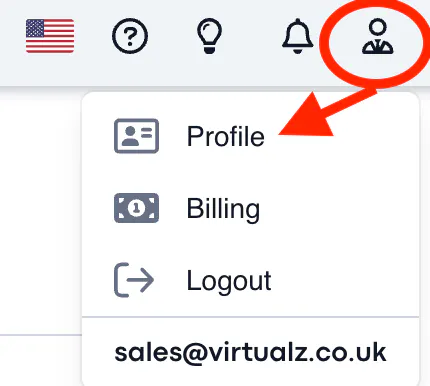
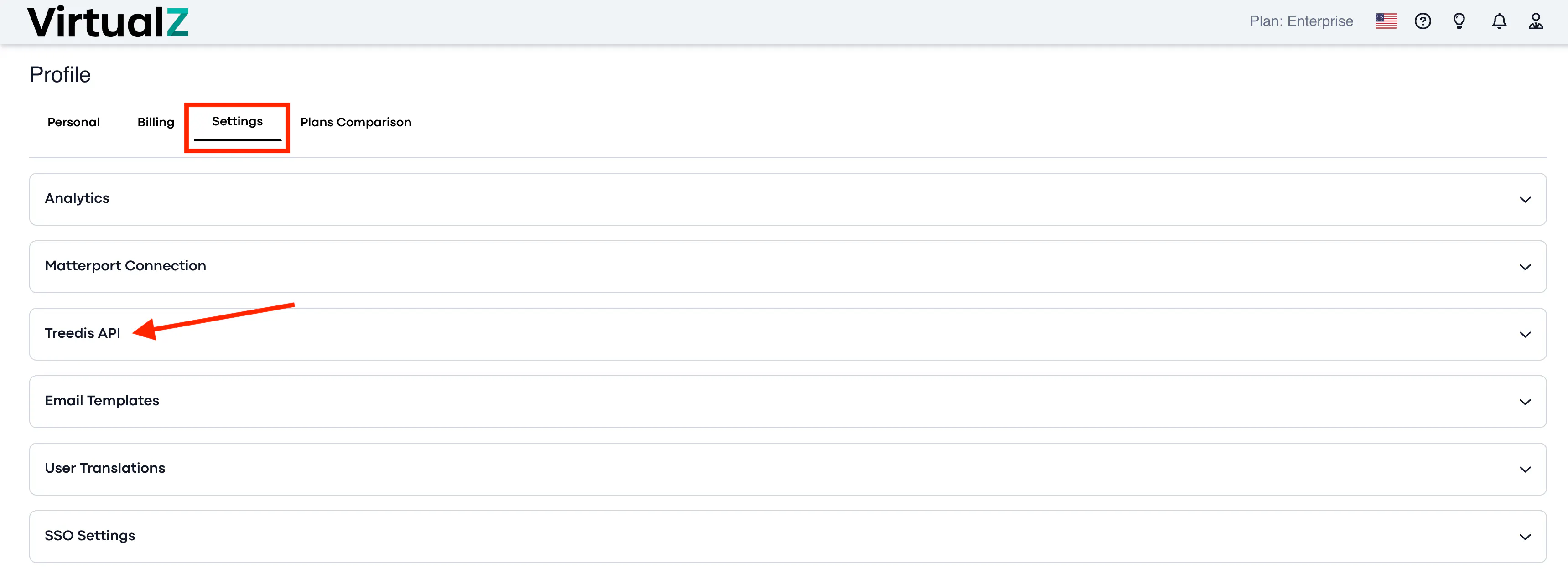
2. Go to 'Settings' > Virtualz API > click to open 'Edit info'
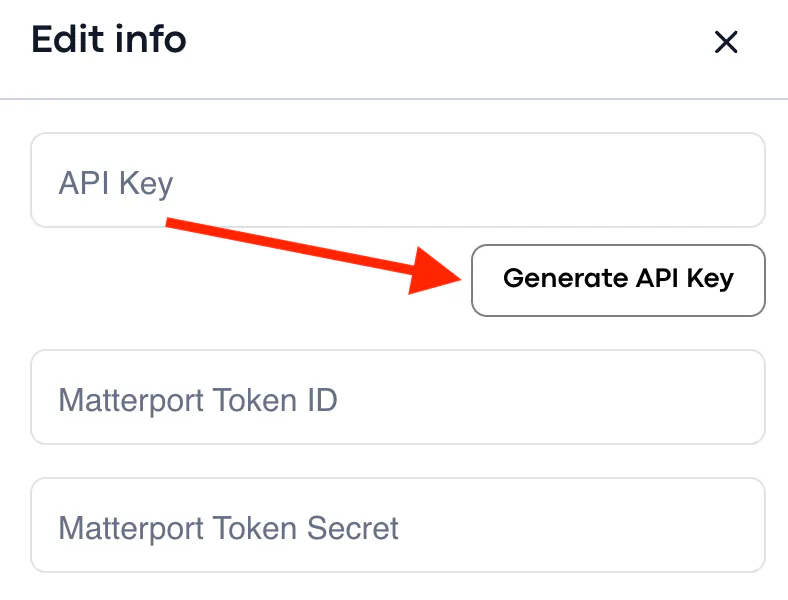
3. Generate API key and save:
4. Return to the tour Manage section > Info > open 'Edit info' > enable 'Private Model Embed':
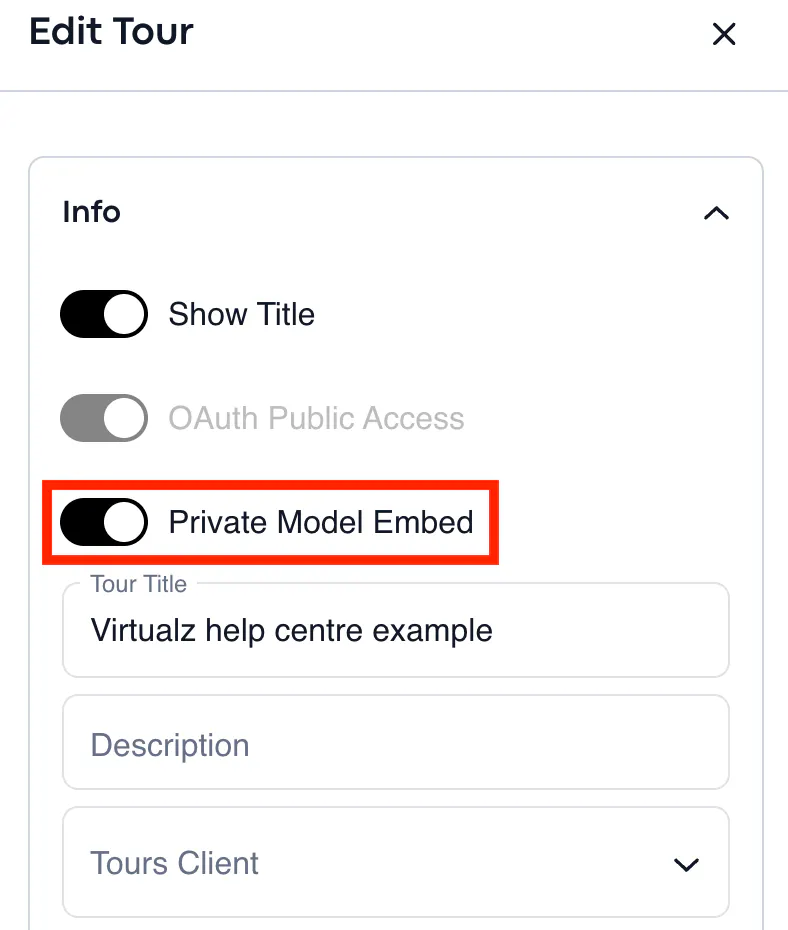
NOTE: From this point on, the tour will require a special token to load.
Part 2
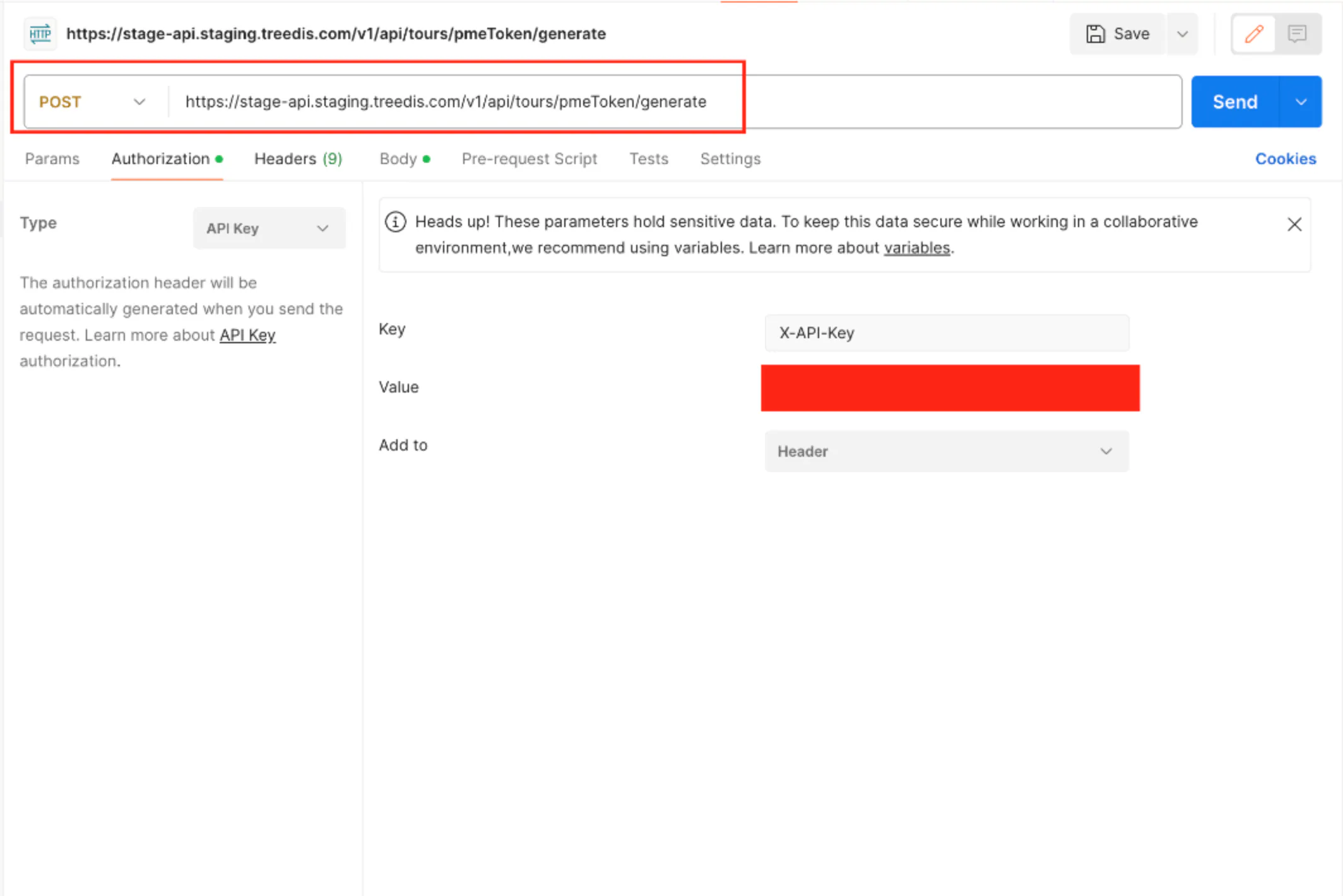
1. Submit a request to generate the token. This request must include the Authorization header (X-API-Key) with the API key obtained from steps 1-4. It is a POST request to https://stageapi.staging.treedis.com/v1/api/tours/pmeToken/generate. The request should also contain the tour's slug (smart-link) and the expiresIn parameter, which defines the token's validity duration (in seconds). The response is the token - be sure to copy it.
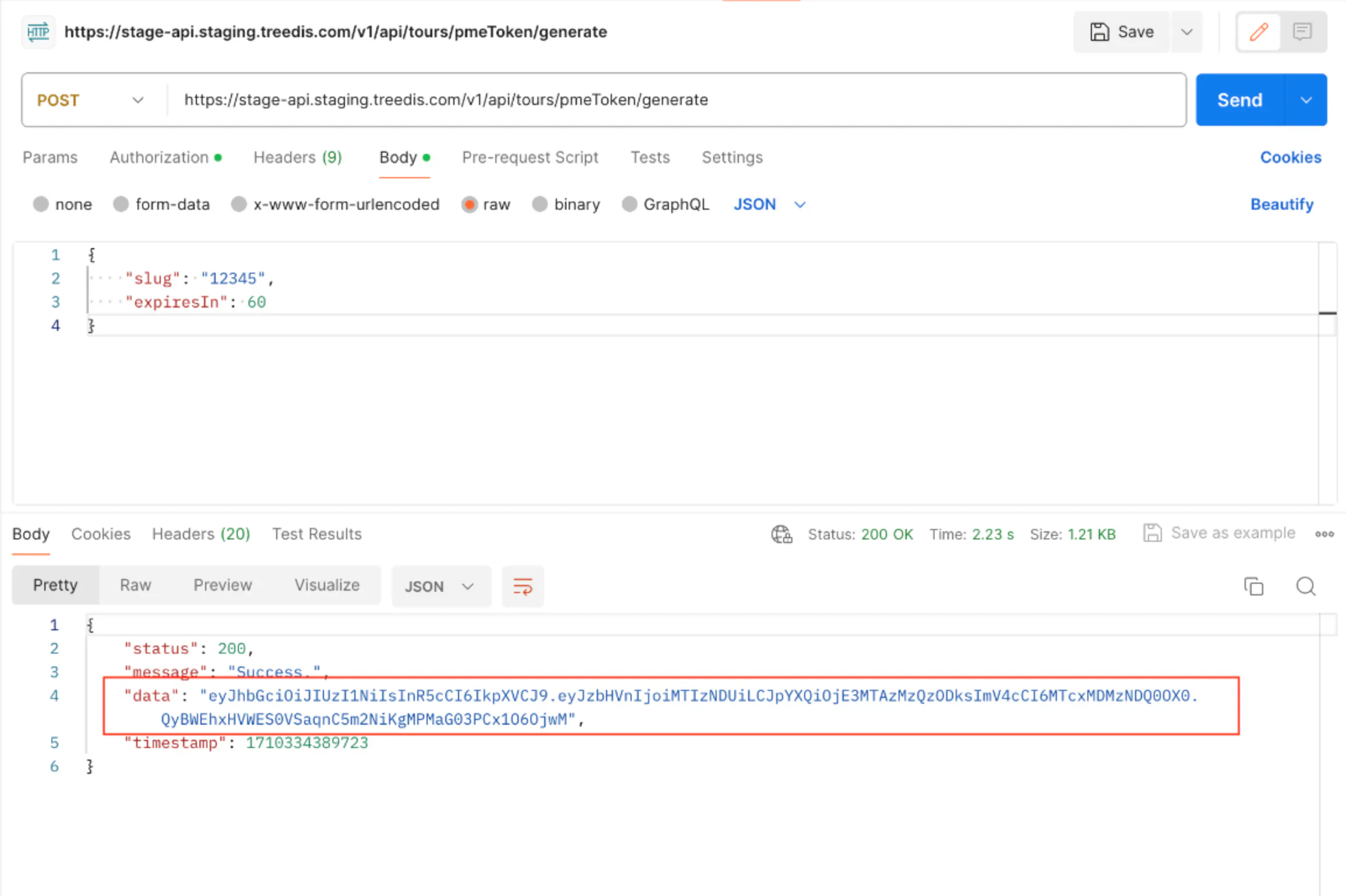
2. Add this token as a query parameter in the URL by appending ?pmeToken=..., and the tour will load successfully.
