Articles in this section
HUB: Avatars
Avatars - one of numerous Virtualz features that allow users to meet each other and explore the virtual space in a very unusual and interactive way. Let your clients and users create their own Avatars to represent them during the HUB meeting.
NOTE: Avatars are available for Business and Enterprise users.
How to set up Avatars in HUB?
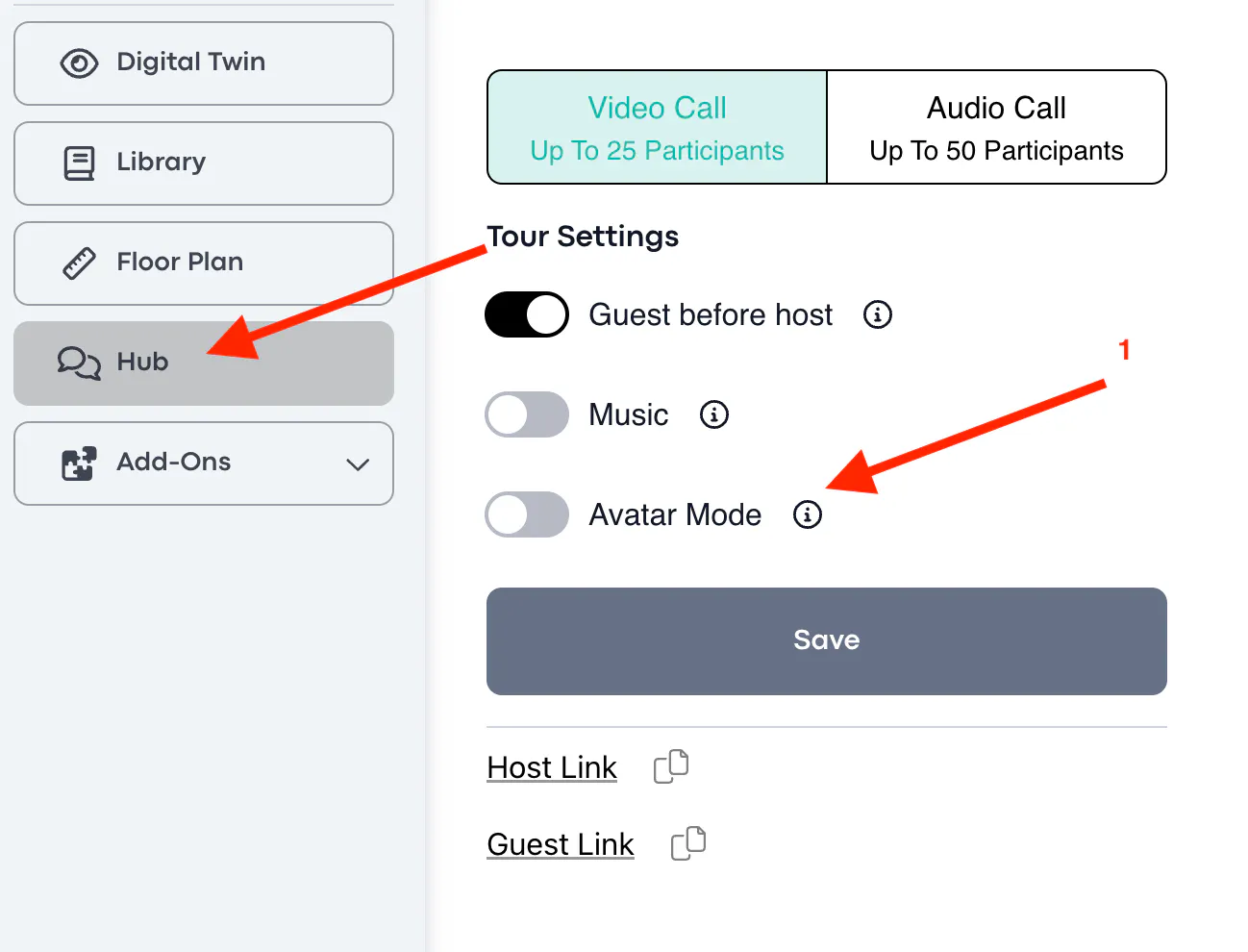
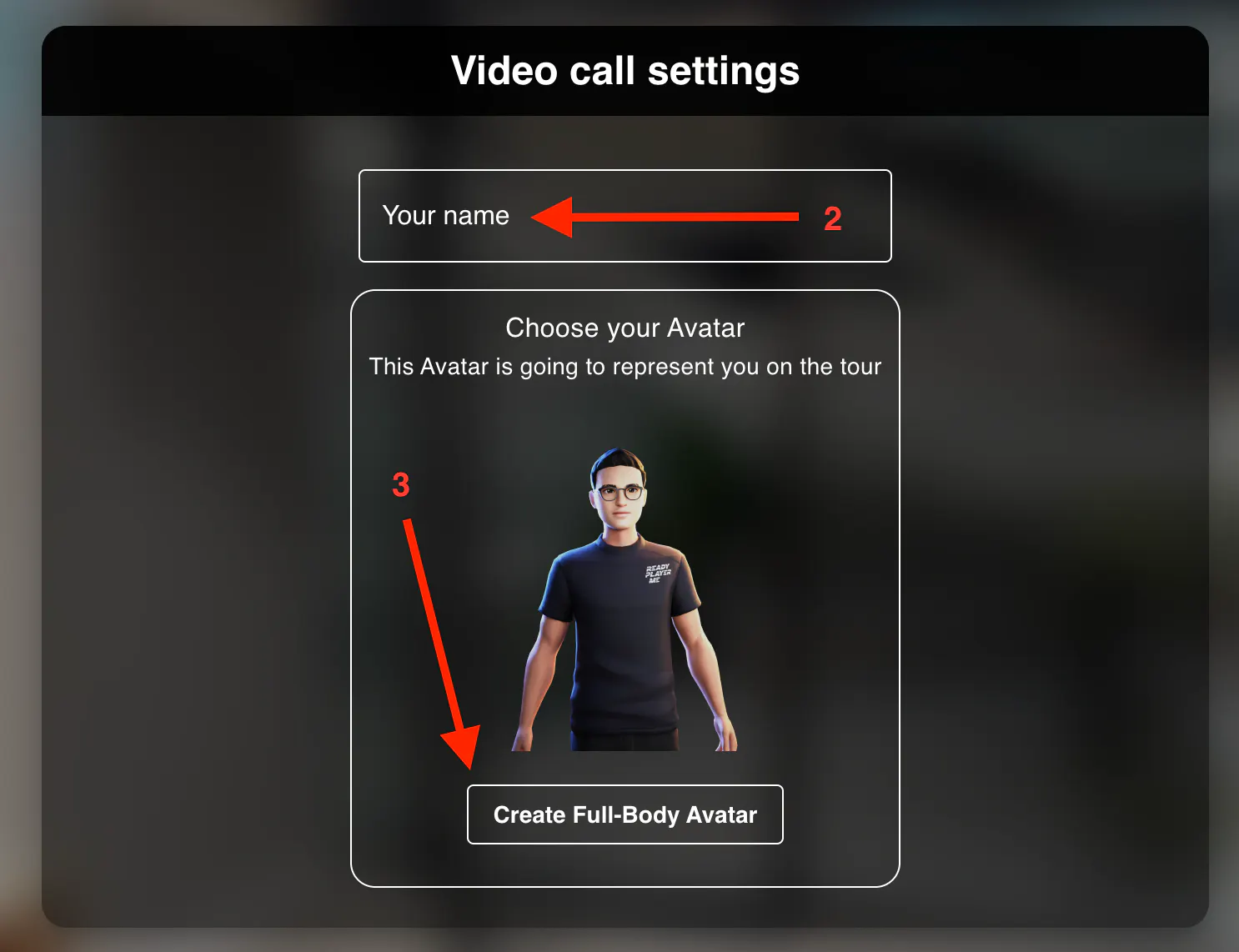
Before sharing meeting links, enable Avatar mode (1) in HUB settings, share the Guest link with participants, open the Host link for yourself, and insert your name (2) while choosing a half-body or full-body avatar (3):
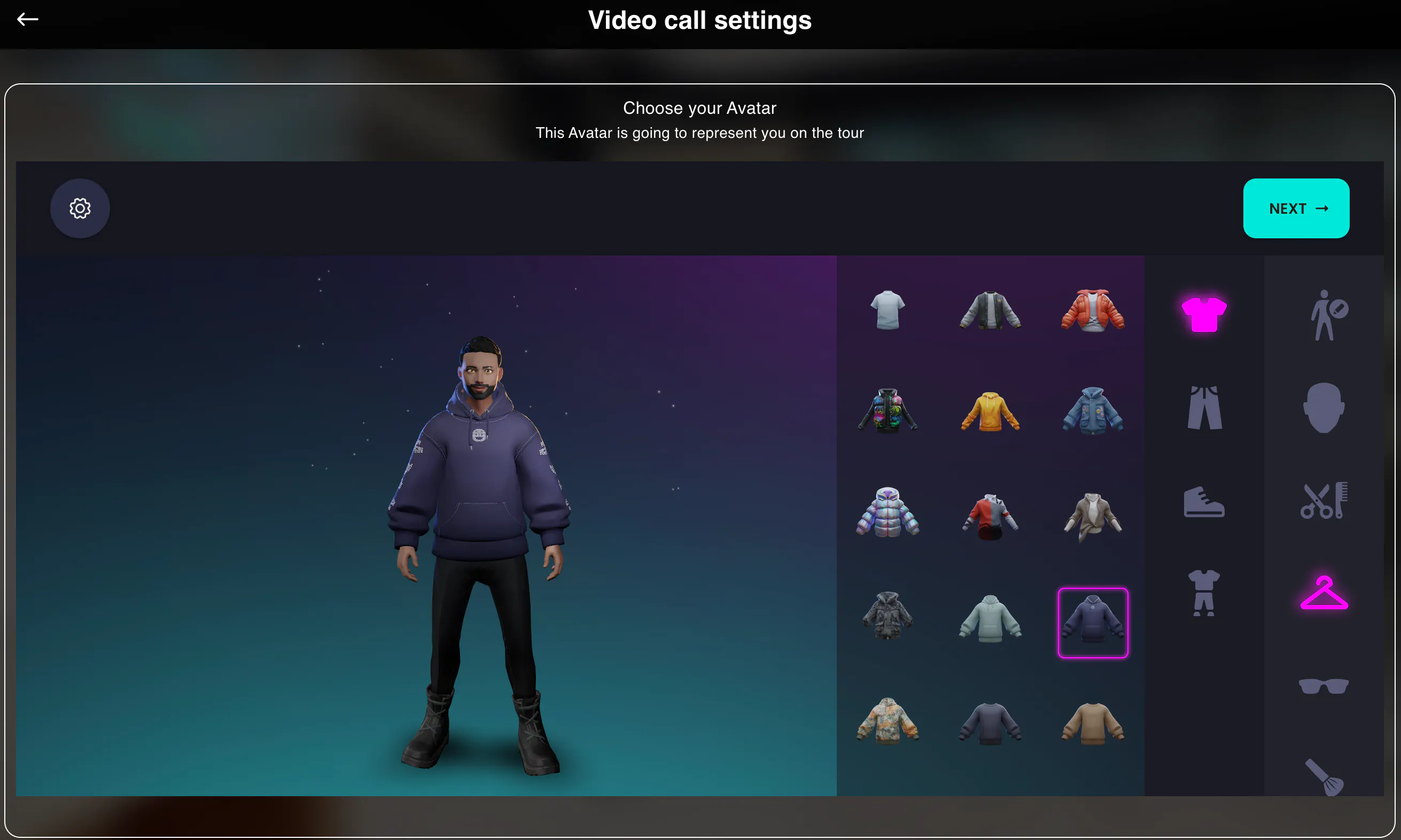
Here is where the fun part starts: you’re given the opportunity to personalize your avatar according to your unique vision. Immerse yourself in the creative process by selecting the perfect appearance, clothes, hairstyle, and accessories, allowing every detail to reflect your individual style:
Or you may take a chance to create a personal avatar with one click by taking or uploading a photo of yourself and see how our AI magically creates a personal avatar that looks like you:
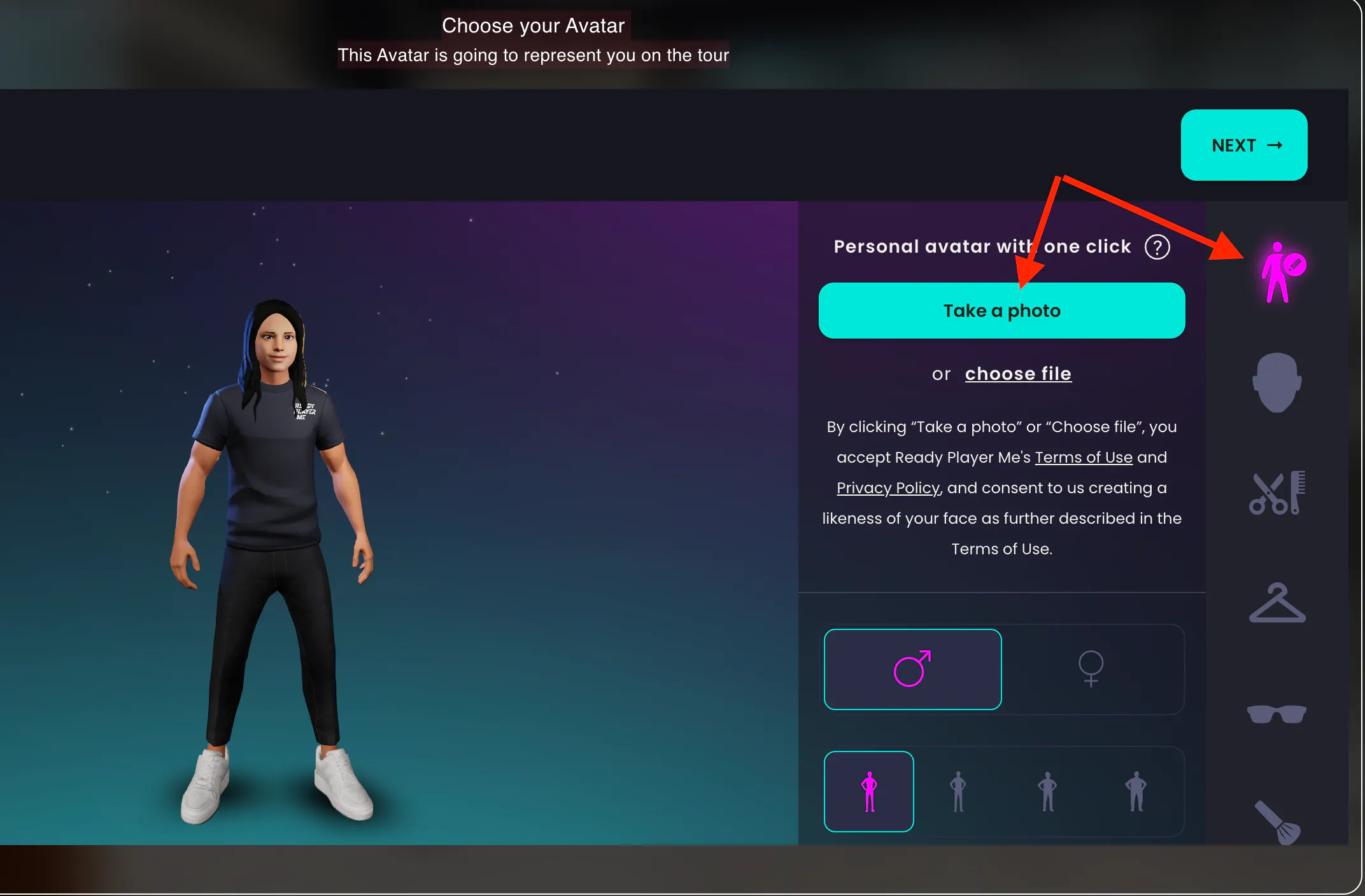
Or if you'd like to join the call immediately, you can click Random avatar as shown above to generate the avatar automatically without any preferences.
Once you are done with the settings, click next.
NOTE: if you created a super-duper individual avatar and want to use it in future meetings, you may save it on the next step:
It is very important to allow the system to have access to your microphone and camera. Without these permissions, you won't be able to join the call.
The last look at your avatar and you are ready to Join Call:
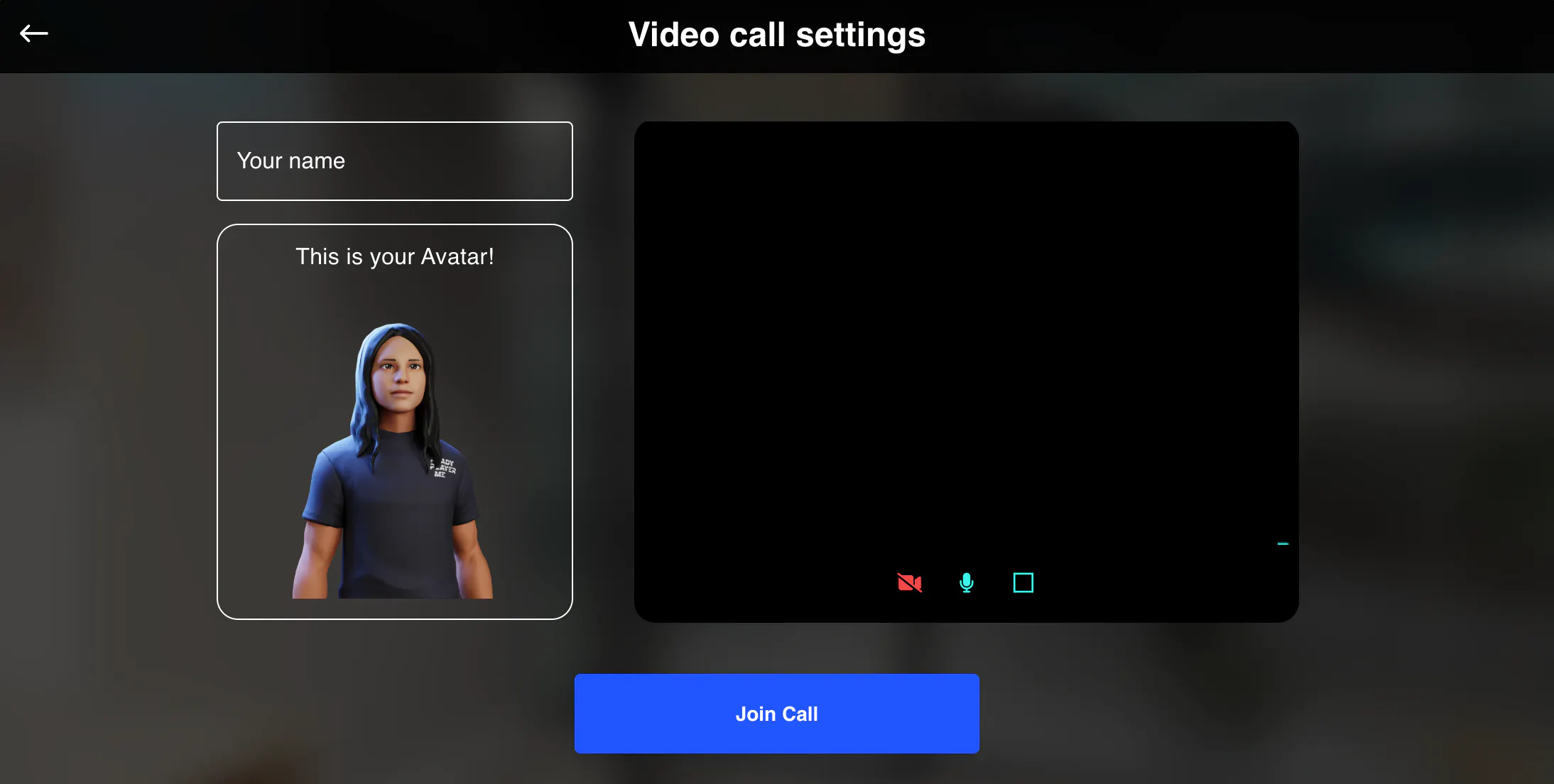
Well done! Explore the space and meet with people most unusually and interestingly :)