Articles in this section
HUB: FAQ
1. Is it possible for the host to mute guests?
No, the guests can only mute themselves manually.
_______________________________________________________________________________
2. Can I blur my video background during the call?
Yes, click the square symbol if you want to blur your background before entering the call on the video settings page:

_______________________________________________________________________________
3. Is it possible for the host to disconnect guests?
No, you cannot disconnect the guest from the call.
_______________________________________________________________________________
4. If the guest didn't log out, HUB credits are still calculated even if the host is logged out. How to prevent such an event?
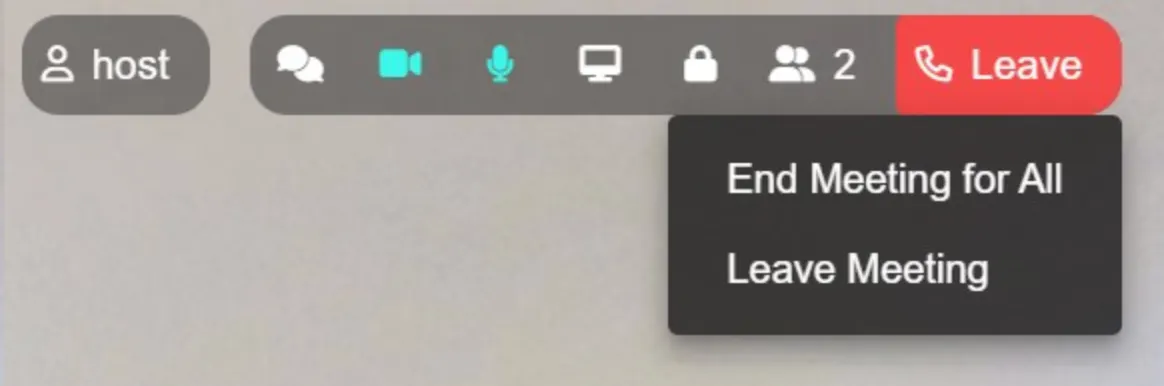
In case the guest forgets to log out of the call, use a button “End meeting for all”, which will log out all HUB participants:
_______________________________________________________________________________
5. How to buy HUB minutes?
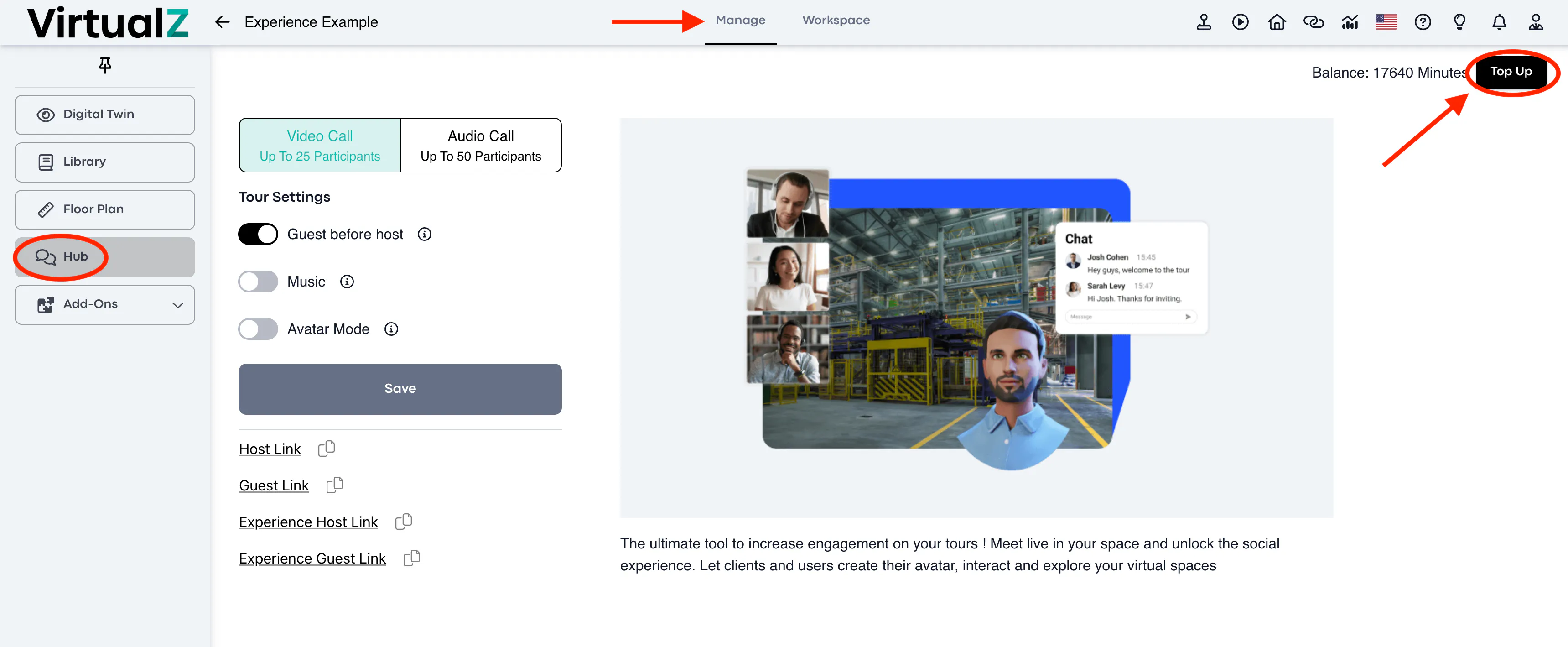
In order to buy extra minutes choose your tour and go to the HUB section, in the top right corner click Top Up:
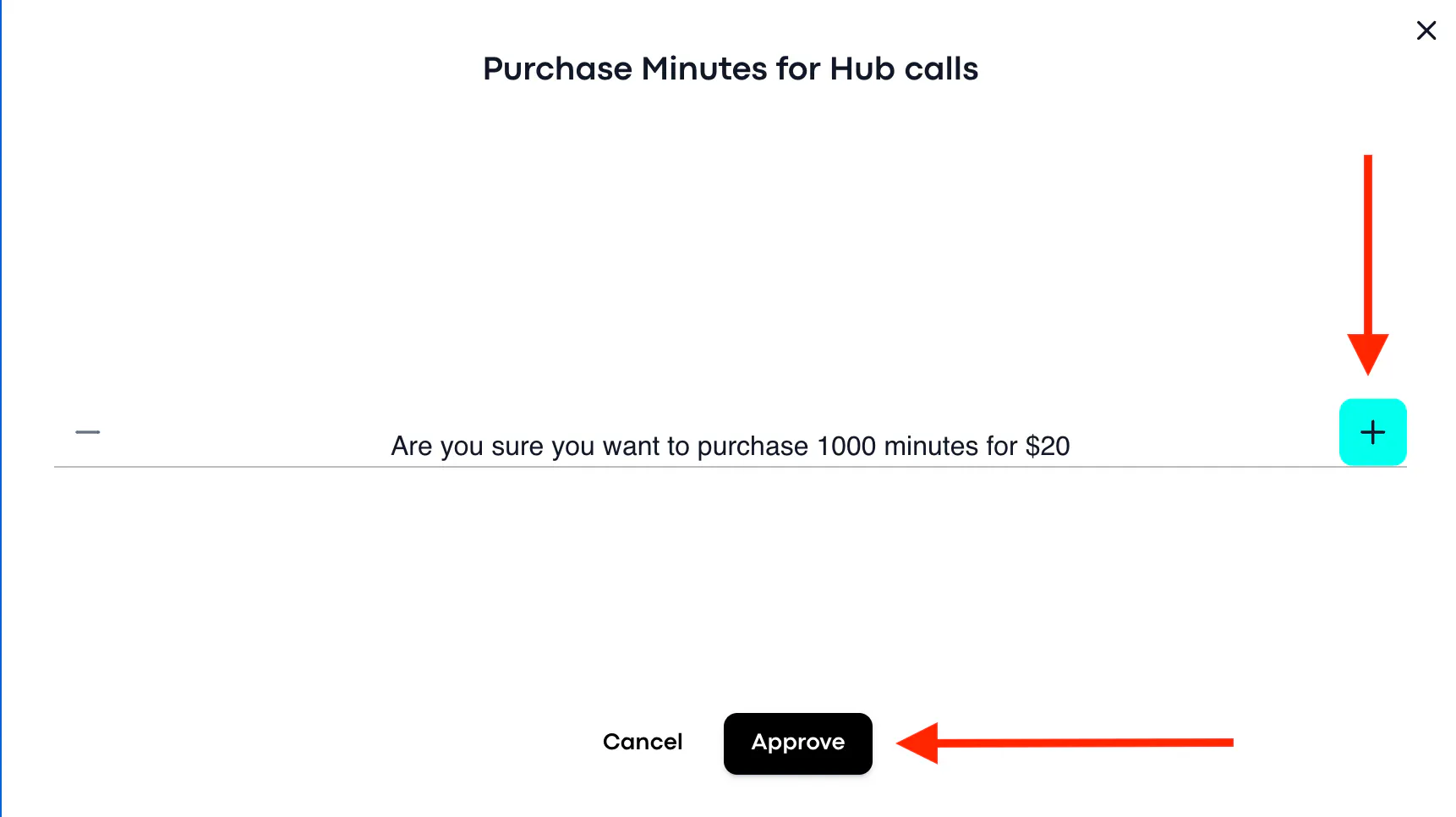
You will see the pop-up window where you may choose the amounts of minutes you want to add, then click Approve and proceed with the payment:
_______________________________________________________________________________
6. How many minutes can I buy?
We have 4 packages for purchase:
- 1000 minutes / 20$
- 2000 minutes / 40$
- 3000 minutes / 60$
- 4000 minutes / 80$
_______________________________________________________________________________
7. How many minutes and guests/participants are included in my plan?
Free plan includes 30 minutes and allows 2 participants;
Growth plan includes 350 minutes and allows 4 participants;
Business plan includes 5000 minutes and allows 20 participants;
NOTE: The limit doesn't include the host in the call.
_______________________________________________________________________________
8. Is it possible to add more guests than allowed in my plan?
No, you can only invite as many guests as are allowed by your plan.
NOTE: Enterprise Plan users can make a request for a custom development feature in order to increase the number of participants.
_______________________________________________________________________________
9. When does the calculation of the minutes start?
The HUB minutes countdown starts when the first guest connects, and ends when the last guest leaves, unless the host ends the meeting manually for all participants.
_______________________________________________________________________________
10. What happens with unused minutes?
Unused minutes are transferred to the next month.
_______________________________________________________________________________
11. What happens if a client runs out of credits in a live session? Does it end immediately?
The guest will be disconnected from the call. You will need to assign more minutes to the client.
_______________________________________________________________________________
12. Can I move the chat window?
The chat window is set to the default position and cannot be moved or re-sized.
_______________________________________________________________________________
13. Can I follow another guest/avatar through the tour by default?
You cannot follow another guest within the tour. Only a guest can follow the host, if the host locks the screen.
_______________________________________________________________________________
14. Is it possible that only the host has an avatar and the guests do not?
The Avatar mode can be turned on/off for the tour specifically, therefore, it will be a default setting for all HUB participants (guests and host).
_______________________________________________________________________________
15. How to add minutes to a client?
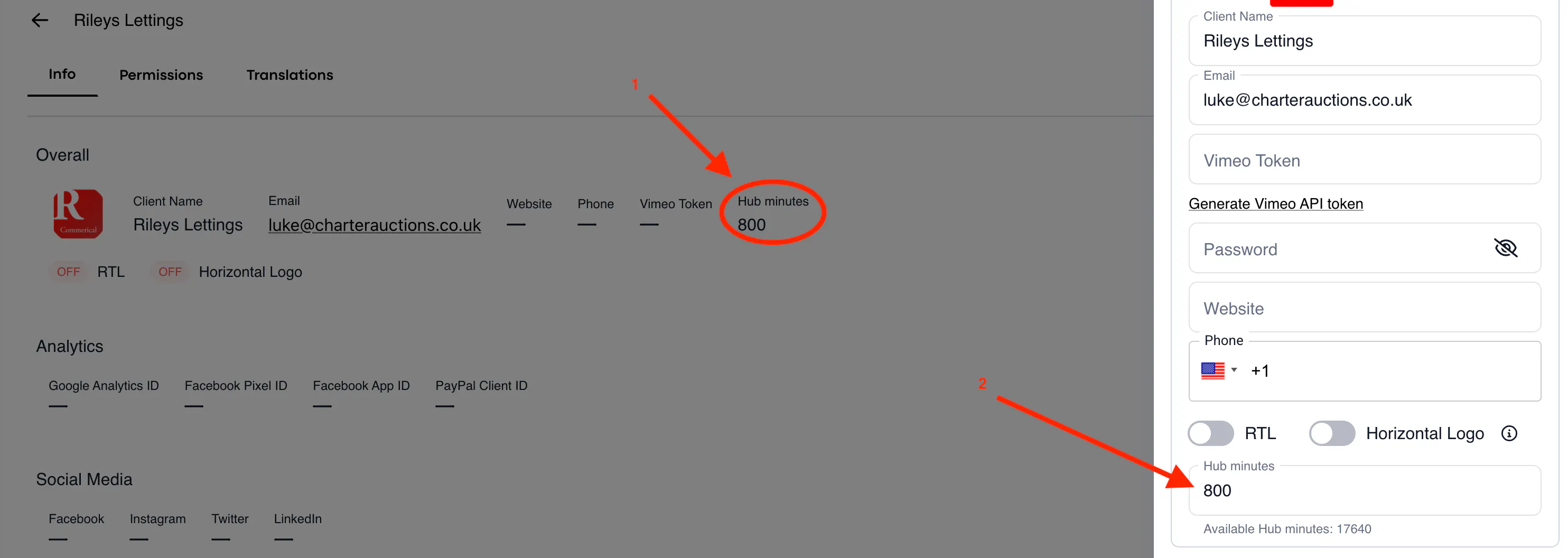
In order to add HUB minutes for a video call for your client, please choose the client in your admin panel and click on the pencil in order to edit details: