Articles in this section
- How to add a tour to the system using the Matterport link?
- How to add a tour to the system if I don't have Matterport tour link?
- CGI: General overview
- Private Model Embed (PME)
- Who is User, Client, Agent and Collaborator
- Can I merge several spaces / tours into 1?
- How to get a deep link for location in the tour?
- How to Zoom in/out on the tour?
- Can I translate my tour into different languages?
- How to add music to the tour?
- Can I add the image / pdf file to the Burger Menu?
- Floor Plan: How to order?
- How to change the password?
- How to collect Leads from the tour?
- How to activate the Registration form for Experience tour?
- Types of Tour Error: Troubleshooting Steps
How to collect Leads from the tour?
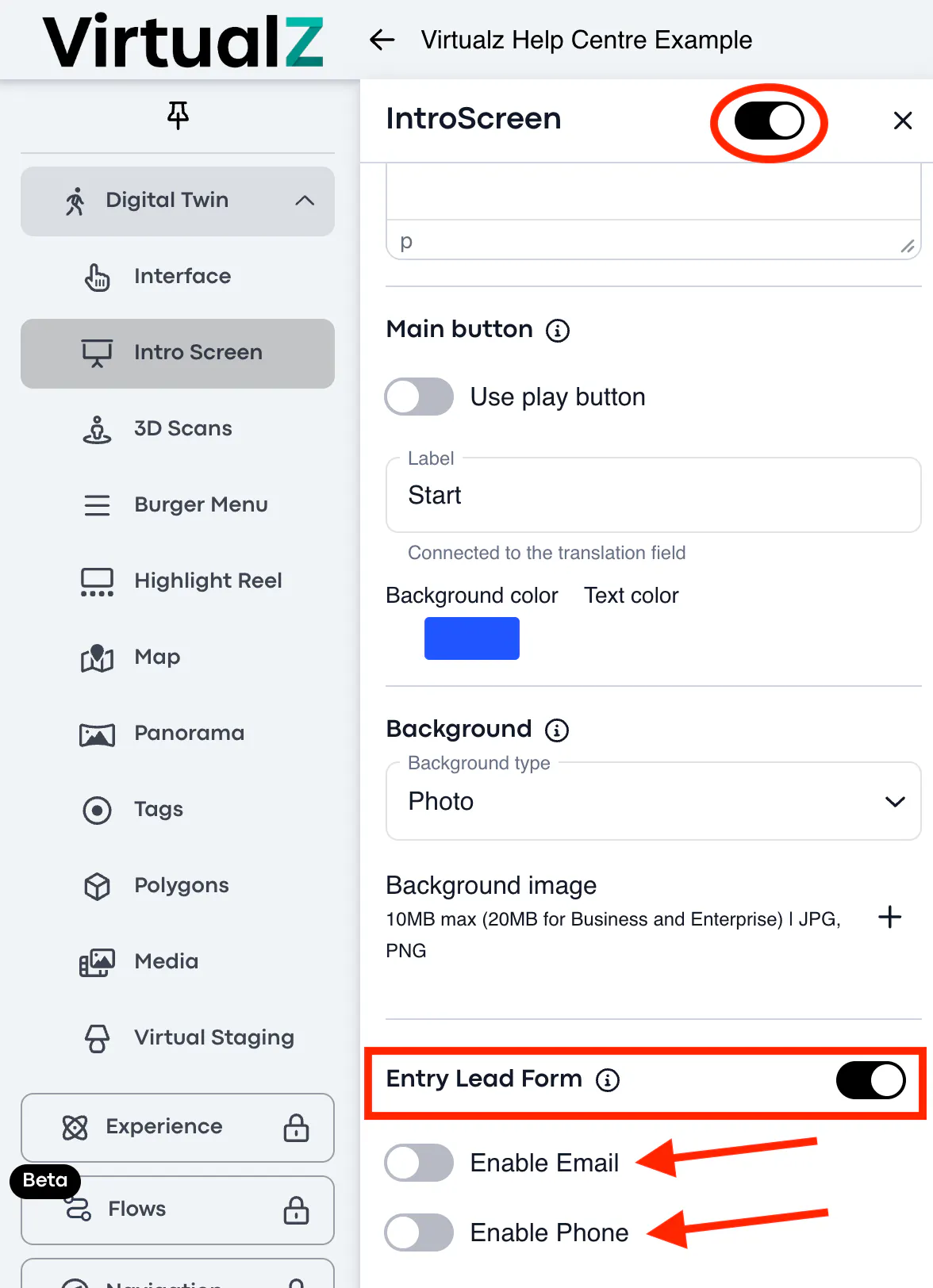
The Entry Lead Form on the Intro Screen allows you to collect the data (name, phone number, and email address) of the visitors who entered the tour. If you only need to collect the names, you can disable the email and phone fields accordingly:
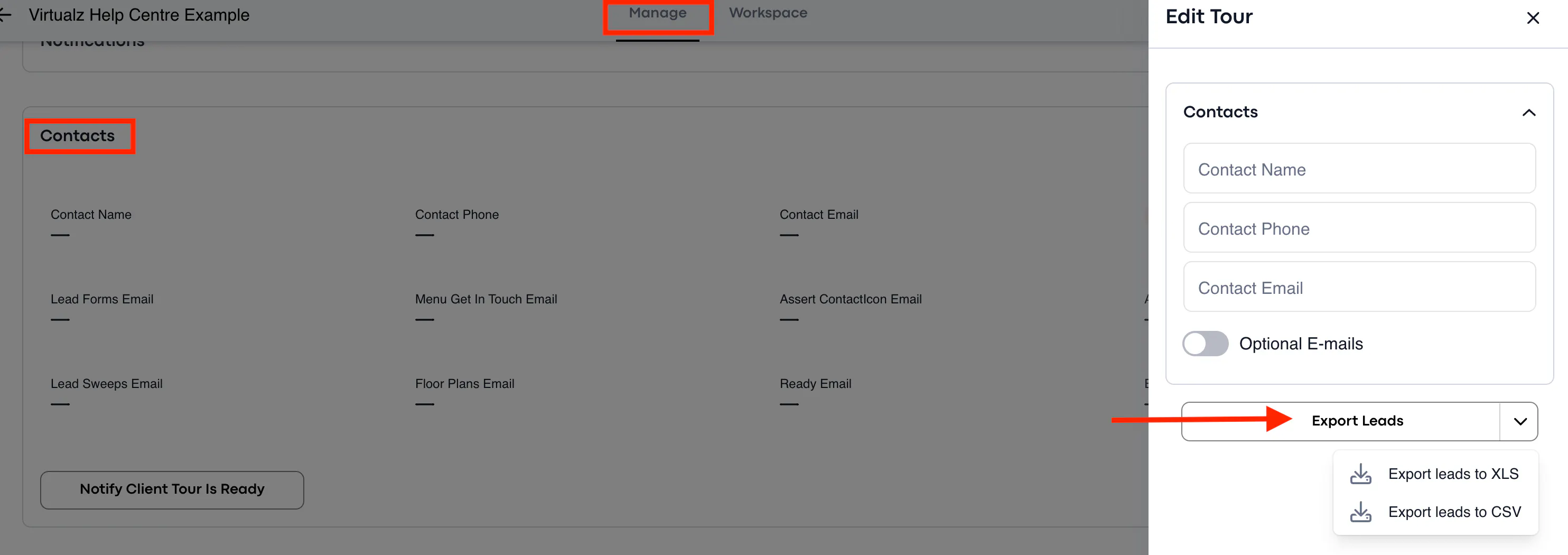
All leads from the tour will be gathered into XLS and CSV files, so you can further download it in the Manage section > Contacts > hover over it to navigate the 'edit' option > find the Export button:
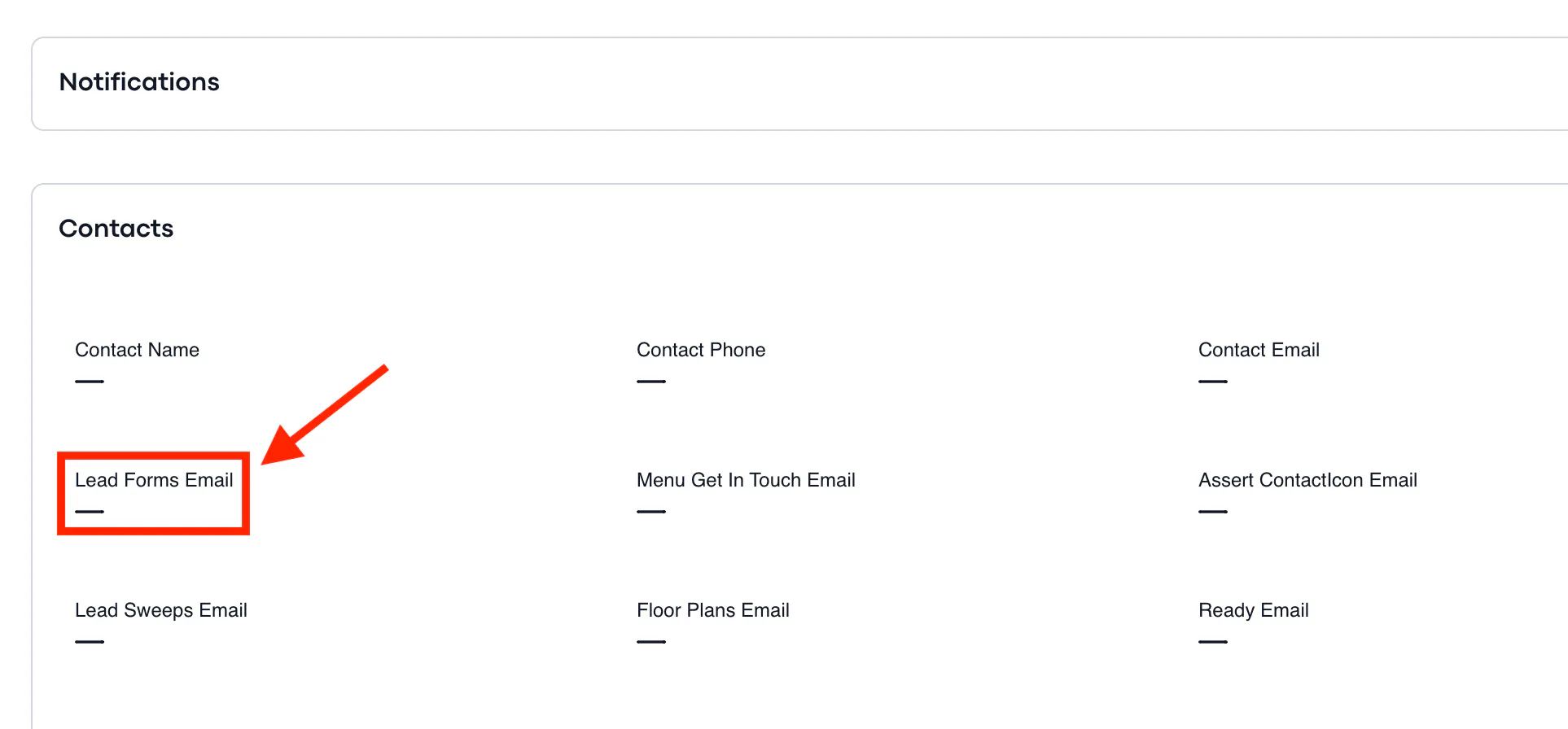
If you would like to receive the notifications about each new lead on the tour directly to your email, you can add your/your client's e-mail address here: tour's Manage section > Contacts > add the e-mail address to the 'Lead Forms Email' box so the system can notify you accordingly.